


Get
93% Off!
on Lifetime Exclusive Deal
Don’t Miss out this deal, it comes with Password Manager Free of cost.

Modern content creation isn’t just about creativity anymore — it’s about control. Your files. Your connection. Your identity. Your workflow — all under your control.
Stock footage, references, music, editing timelines, and publishing video content across social media, YouTube, and TikTok — that’s the daily routine of today’s creators. But behind that smooth workflow hides something most creators ignore: exposure.
Open Wi-Fi networks. Unsafe downloads. IP leaks. Cloud uploads without encryption. Unknown plugins. Suspicious online tools.
If you’re working with large video files, collaborating with international clients, or constantly moving data between platforms, your online privacy is at risk whether you realize it or not. Creative professionals are becoming prime targets for data interception, asset theft, and account breaches. Not because they’re careless — but because their workflows are complex.
Let’s break down how modern video creation actually works and how smart creators integrate cybersecurity into every step without slowing down production.
Every project starts the same way — collecting materials. Most creators source stock clips, reference videos, overlays, LUTs, fonts, templates, and music from royalty-free sites and digital creative platforms. It feels like a simple step in content creation — but it’s actually one of the biggest security weak points in the workflow. One wrong click on a mirror site, fake download button, or injected script can turn a simple asset download into a cybersecurity problem. Even experienced creators sometimes trust platforms too quickly.
Basic safety tips when sourcing creative assets:
Professional creators understand that protecting online privacy starts before editing begins. Security is not something you add later — it’s part of the workflow from the first click.
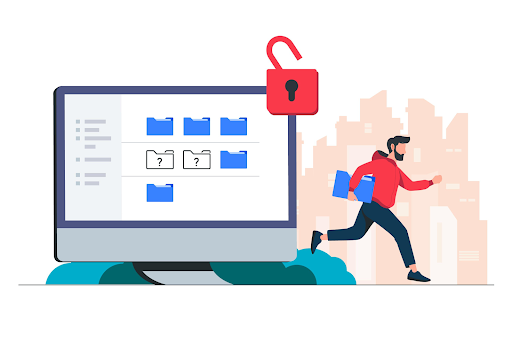
Once assets are collected, the next stage is moving files — and video files are enormous.
Raw footage, client materials, and project archives often travel through cloud drives, collaboration platforms, and remote servers. This constant movement creates opportunities for IP exposure and data interception. This is why professional creators use VPN technology as part of their everyday software stack, not as an emergency tool.
A VPN protects:
Using a VPN helps protect yourself online when working with global clients or transferring sensitive video content across networks. It encrypts traffic and prevents third parties from monitoring your workflow.
Editing is where creativity explodes — and where security discipline often disappears.
Creators jump between desktop software, cloud backups, AI assistants, plugins, and browser-based content creation tools. Each connection between systems becomes a potential vulnerability if ignored.
Professional editors don’t just think about timelines and color grading. They think about software integrity, encrypted storage, and controlled access to project files. Using cracked plugins or downloading editing extensions from unknown sources is one of the fastest ways to compromise your system. The short-term convenience isn’t worth the long-term risk.
Serious video creation requires treating cybersecurity as part of production quality. Keeping software updated, maintaining secure credentials, and protecting project backups ensures your video content stays yours. Unreleased campaigns, drafts, and client materials are valuable. Losing them — or leaking them — can destroy trust instantly.
Security is not paranoia. It’s professionalism in modern content creation.
For many creators, exporting is where security mistakes happen without them noticing. Not all platforms support the same formats, compression levels, or file sizes. Clients demand compatibility. Platforms demand optimization. That’s exactly why creators regularly convert to mp4 to guarantee playback on any platform or device. Across YouTube, TikTok, and most social media platforms, MP4 stays the standard because it delivers quality, compression, and compatibility in one format.
The real danger starts when creators trust browser-based online converters. Uploading finished projects to unknown servers means giving third-party systems full access to your work. A smarter workflow combines trusted desktop software with secure connections whenever cloud processing is unavoidable.
After exporting a project, creators should follow these security practices:
These practices help maintain both your online privacy and your professional credibility.
Publishing isn’t the finish line — it’s another security checkpoint in the content creation pipeline. Without protection, every upload leaks small technical clues — IP address, location signals, and device fingerprints.
Creators managing multiple brands, client channels, or international audiences should use a VPN during uploads to maintain secure sessions and stable transfers.
Publishing is not just about visibility. It’s about keeping control of your data — who sees it and where it goes. Real professionals know online privacy matters long after editing ends. It continues until the content is live.
Speed and visual quality matter — but resilience matters more in the modern creative toolkit. Modern creator workflows bring together editing software, storage platforms, asset libraries, AI assistants, and content creation tools in a single production pipeline. Without protection, that pipeline becomes fragile.
Security tools now sit alongside creative software as equals. A reliable VPN, trusted conversion software, verified asset sources, and secure cloud storage form the foundation of sustainable video creation.
The creators who succeed long-term aren’t just talented — they’re careful. They know productivity means nothing without protection. Strong cybersecurity keeps your workflow fast, stable, and protected — anywhere you work.
Creative freedom depends on digital safety. From downloading assets on royalty-free sites, editing with content creation tools, to exporting files and publishing video content across social media, every stage of modern content creation carries risk.
The fix is simple — secure connections, trusted tools, safe file transfers, and remembering to use VPN when your workflow crosses networks or borders. Protecting yourself online isn’t just about avoiding trouble — it’s about building stronger businesses and safer creative workflows. Because modern creativity includes protecting the workflow behind it.
Take Control of Your Privacy Today!
Unblock websites, access streaming platforms, and bypass ISP monitoring.
Get FastestVPN
© Copyright 2026 Fastest VPN - All Rights Reserved.
Don’t Miss out this deal, it comes with Password Manager Free of cost.