


Get
93% Off!
on Lifetime Exclusive Deal
Don’t Miss out this deal, it comes with Password Manager Free of cost.

Area 51 has become one of the most popular IPTV services in the market today as it provides its clients with access to thousands of cable TV channels. One of the main reasons Area 51 streaming site has become so popular is that it features dozens of popular channels from around the world. However, it is not only perfectly compatible with Android and iOS platforms but also has a Kodi add-on.
This add-on ensures seamless usability with Raspberry PI, Windows, VPN on Linux, and much more. If you are reading this then you must already know why the whole world is buzzing about Area 51 and must be wondering how you can install Area51 IPTV on Firestick/Kodi.
It is very important to understand that your online activities are constantly being logged and tracked by your Government and ISPs. If you are caught streaming copyright content, you could land yourself in big trouble and face massive fines. This is exactly why using FastestVPN gives you not just unrestricted access to the web, but also protect you from such dangers.
FastestVPN offers a zero-data-logging policy and utilizes military-grade encryption techniques to protect your data. FastestVPN will also allow you to spoof your IP address and access geo-restricted content. So if you want to protect your digital footprint and avoid unnecessary trouble, then subscribe to FastestVPN now.
As mentioned before, Area 51 streaming site is a paid service so before you install Area51 IPTV on FireStick, you will need to create an account and register yourself. Area 51 is currently available on a global scale and their nominal fees are worth every penny as they boast incredible TV channels and high-quality sources. To make this convenient, we have articulated a step by step guide on how to install Area 51 app on Firestick and Kodi.
Here are four simple steps that will help you register with Area51 IPTV and pay for their subscription. Please make sure you provide an active email address as you will need to verify your account and your username/password will be sent separately to your inbox.
Before starting installation of Area 51 app, you need an Area51 IPTV Subscription in the first place. If you already don’t have it. You can subscribe to the service from its official website. Area 51 streaming site has different plans available which include:
Here’s how to install Area 51 on Amazon Firestick:
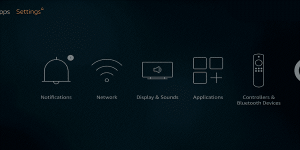
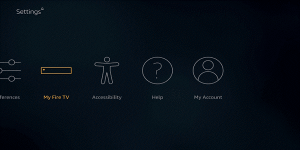
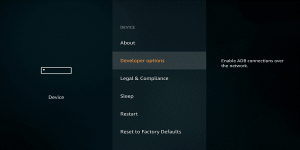
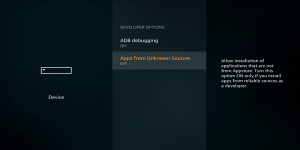
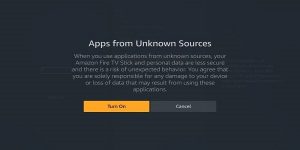
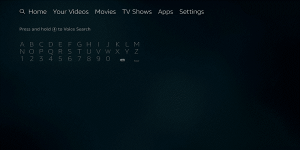
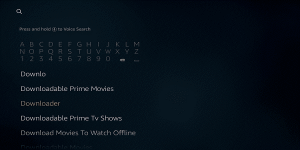
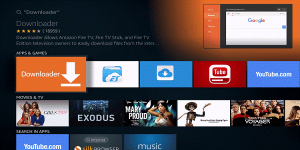
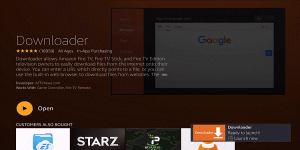
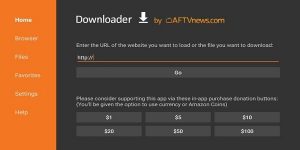
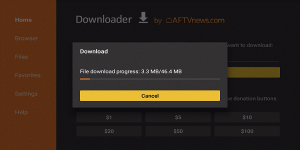
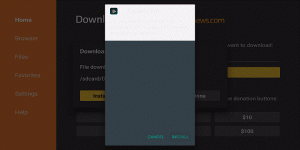
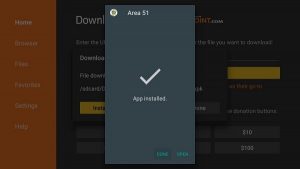
When the installation is complete, click on done and delete the APK version to free up space on your device. Don’t worry, since the file has been installed you do not need the APK version anymore. All you have to do is click on the download again and hit delete twice to confirm the process.
Now we will discuss how you can install Area 51 IPTV add-on for all the Kodi users out there. One of the reasons why this add-on has become so popular is the fact that it is perfectly compatible with an array of different platforms such as iOS, Linux, Raspberry Pi, and Mac. So if you are a Kodi user, follow the steps mentioned below to start streaming your favorite TV channels.
Step 1: Enable Installation From Unknown Sources
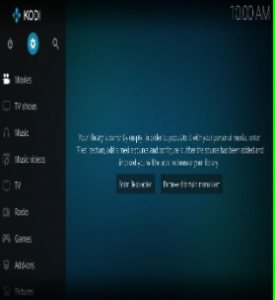
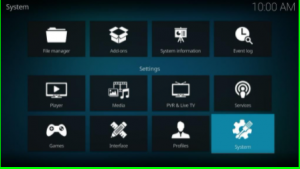
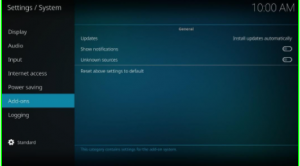
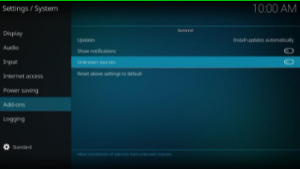
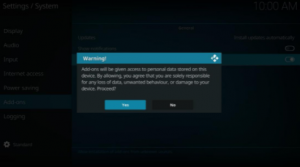
The process for enabling Unknown sources on Kodi is completed. Now, in the next step, you have to install the addon. For installing addon first you need to install a repository in Kodi. Here’s how to do it:
Step 2: Installing the Repository for Area51 IPTV
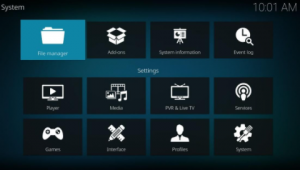
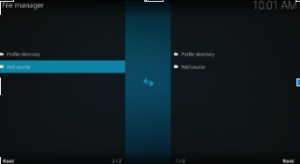
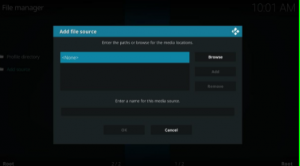
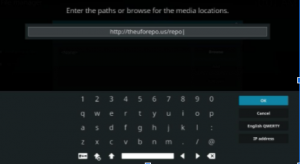
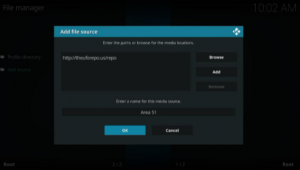
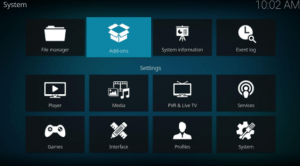
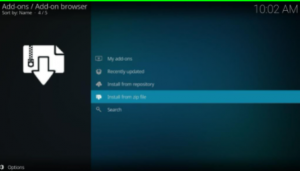
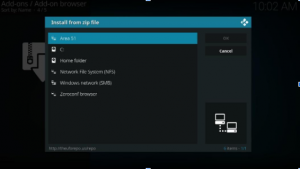
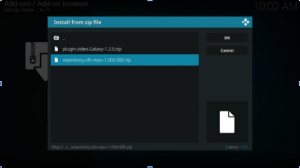
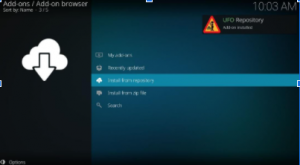
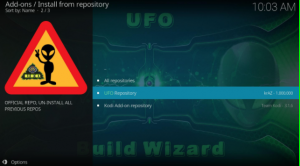
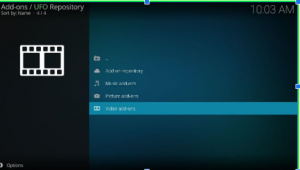
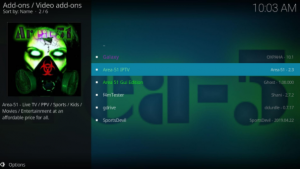
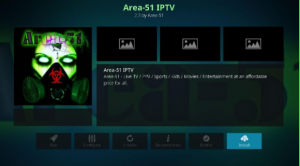
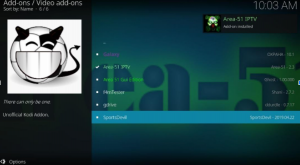
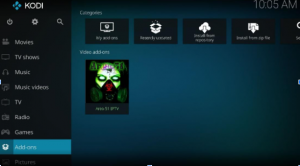
Once this process is completed, you can now have Area 51 IPTV installed on your Kodi. Simply, head to the home screen and under Video Add-ons, you can find Area 51 IPTV.
By now, you should have successfully installed Area 51 app on your Firestick device. However, before you can start enjoying endless streaming you will need to access the app. Go to your home screen and select the second category titled Apps & channels for Area 51 IPTV login.
If you already have a bunch of apps installed, then you should find Area 51 app in the far right or left corner. Once you find the app, click on move to pin this app to your home screen. This will make things far easier and convenient for you.
Once you click on the app, you should see a Area 51 IPTV login screen. Refer to your email inbox for your username and password for Area 51 IPTV login. After you enter the required details, you can now enjoy the endless streaming of all of your favorite channels on your Firestick device.
However, before you start watching all of your favorite channels after the Area 51 IPTV login, we would recommend subscribing to FastestVPN before you begin. Here are a few simple steps that can help protect your digital footprint from the Government, ISPs and hackers.
FastestVPN offers the most unbelievable rates for high-quality services. They also have an app designed particularly for Firestick which will enhance your streaming experience. Click here to subscribe to one of FastestVPN’s current offers.
Once you have subscribed to a preferred plan, launch your Firestick and click on the search icon. Type FastestVPN and then click on download.
Once the download has been completed, open the Area 51 app and log in using your credentials. These are the same credentials you were provided during the subscription process for the Area 51 app.
Voila, you are now being protected by one of the most advanced VPN providers in the market today. Now you can enjoy endless streaming and ensure a smooth Area 51 IPTV login, without ever having to worry about privacy or digital security.
So you have finally installed Area 51 streaming site add-on on Kodi. However, there are three steps you can take to enhance your streaming experience. These steps are mentioned below for your convenience.
1. Launch Kodi and click on settings
Start by launching your device and clicking on settings, change the settings from standard to advanced and then click videos which are located in the left menu.
2. Navigate and allow hardware acceleration
Okay now from the drop-down menu, navigate and find allow hardware acceleration. Click on the toggle to turn it on and change the value for enable HQ scalers to 10%.
3. Return to the home screen and click on Video add-ons
Return to the home screen and click on add-ons and then Video add-ons. You should find your Area 51 IPTV add-on, click on that and enter your service passwords for Area 51 IPTV login.
A lot of people have problems changing their Area 51 streaming site password, this is exactly why we have also highlighted the process to make your life easier. If you have lost your password for Area 51 app or can’t remember it. Don’t worry, just follow the steps mentioned below.
By now, we can guarantee that most of our readers have successfully installed Area 51 IPTV on their Firestick or Kodi device. The aforementioned steps have been designed with meticulous attention to detail, in order to make the process as simple as possible.
If you have successfully followed our instructions, you can now enjoy the following Area 51 streaming site features.
Yes, Area 51 IPTV does not support Apple TV, Mac, PC, iOS, and Roku. It only supports Android devices. No, it's not an add-on. It's an IPTV app that offers 1000 channels for streaming and entertainment. FAQS - Area 51 IPTV
Is Area 51 IPTV an Android compatible app?
Is Area 51 IPTV an addon?
We are sure that this detailed guide has been helpful and hope that you followed each step without any trouble. Our guide has been designed for new Kodi and Firestick users in order to make sure that everyone can enjoy Area 51 streaming site.
You should be all set now. However, it is important to remember that you will need a VPN in order to protect your digital footprint. Moreover, ensure you subscribe to FastestVPN before you enjoy unlimited streaming on the Area 51 streaming site.
Take Control of Your Privacy Today! Unblock websites, access streaming platforms, and bypass ISP monitoring.
Get FastestVPN
© Copyright 2026 Fastest VPN - All Rights Reserved.
Don’t Miss out this deal, it comes with Password Manager Free of cost.