
You can see how this popup was set up in our step-by-step guide: https://wppopupmaker.com/guides/auto-opening-announcement-popups/
What Is the Google Block Breaker Game?
Google Block Breaker is a modern, browser-based revival of the classic brick-breaking arcade game. You can either directly search for the game on Google or head to blockbreaker.io to play it.
Simply put, if you’re looking for games like Breakout, Google Block Breaker is the modern, updated version. This guide covers all about the Google Block Breaker Game, the rules for it, the all-time high score on Google Block Breaker, and how to master the game. Keep reading to find out all!
Note: The Google Block Breaker game is accessible via the Google Chrome browser. We recommend connecting to FastestVPN when playing the game to ensure online privacy and security.
What Is Google Block Breaker?
Google Block Breaker is a browser-based classic brick-breaking arcade game. If you’ve played Atari Breakout before, you know what we’re talking about here. The gameplay is simple: you control a paddle, bounce the ball, and clear the top. Here’s the drill: do not let the moving ball fall on the ground without the paddle there.
Is Block Breaker a Hidden Google Game?
No, Block Breaker is not a hidden Google game. It’s available via the browser; either search Google Block Breaker Game and the first search result takes you to the game, or go to blockbreaker.io. Both options take you to the same Block Breaker game online.
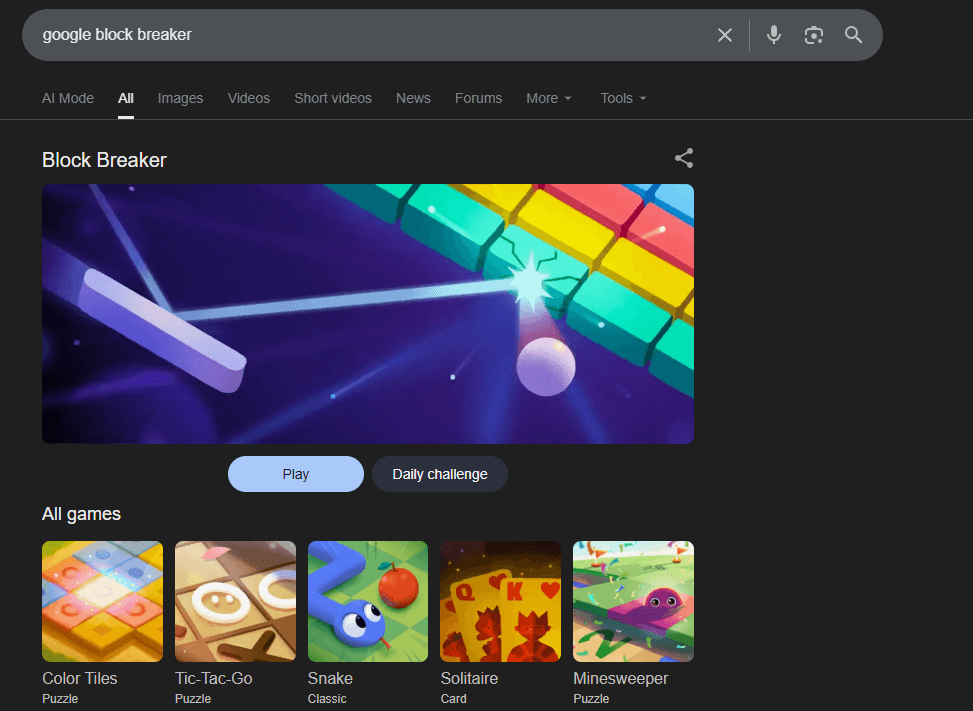
The game reimagines the classic 1976 Atari Breakout. You need to control a paddle to bounce the ball and destroy a wall of colored blocks at the top. The 2026 version includes over 150 levels, power-ups, and at times, indestructible blocks. Similar to other browser-based games, you can use the arrow keys or mouse to control the paddle.
What Are the Rules for Google Block Breaker?
The gameplay is simple: control the paddle and clear the breakable blocks above using a bouncing ball. The primary rules are to keep the ball in play, clear all breakable bricks to level up, and avoid losing the ball. You’ve three lives, and if the ball lands on the ground instead of the paddle, you lose a life.
Rules of Google Block Breaker
Here are the key rules and gameplay mechanics of the Block Breaker Google game:
- Clear all breakable blocks on screen to move to the next, more advanced level.
- Slide the paddle horizontally using the arrow keys or mouse. The bouncing ball must land on the paddle, or you lose a life.
- There are three types of blocks:
- Standard Blocks: These are destroyed in one hit.
- Multi-hit Blocks: They require multiple hits to break. The blocks often change color to indicate remaining durability.
- Unbreakable Blocks: Metallic and gold blocks are unbreakable. These are only used for angling shots.
- Power-Ups: Some blocks drop the power-ups, i.e., if you expand the paddle width or enable multi-ball mode. But the blocks are cleared faster.
- Level Progression: The ball moves faster as levels increase, and block formations also become more complex.
- Game Over: You have three lives. If the ball falls below the paddle, you lose a life.
How to Play the Google Block Breaker Game?
Simply put, control the paddle by moving horizontally and help the ball bounce to the top and clear the colored bricks. Here’s a brief breakdown of how to play the Google Brick Breaker game:
1. Game Controls
Move the paddle by moving your mouse horizontally or by using the arrow keys to slide it at the bottom of the screen. The game starts by serving the ball from the paddle. Press the spacebar if the ball is stuck to the paddle.
2. Game Objective
Use the paddle to bounce the ball upward into the blocks. Destroy all standard and multi-hit blocks to complete the level and advance to the next one. However, unbreakable metallic blocks will remain. Use them to angle your shots.
3. Using Game Power-Ups
Some blocks will drop power-ups. Ensure that you catch these with your paddle to activate them. Common power-ups include:
- Expand Paddle: This makes your paddle wider. It makes it easier to hit the ball.
- Multi-Ball: Destroys several bricks at once. This makes it easier to clear the blocks.
4. Lives and Game Over
You start with three lives, and you lose each life if the ball falls past your paddle, i.e., at the bottom of the screen. The game gets over when you run out of lives. The challenge increases as you progress. The bouncing ball gets faster, and the brick formation gets more complex as the level advances.
How to Get a High Score on Google Block Breaker?
The Google Brick Breaker Game might seem simple at first, but as the level advances, the game gets more complex. Here are four effective tips to get a high score on the Google Brick Breaker game:
1. Bounce the Ball With the Edge
Don’t hit the ball or bounce it back using the centre of your paddle. Use the paddle’s edges to hit the ball. This helps create sharp, diagonal angles to target specific bricks or trigger chain reactions for easier brick destruction.
2. Save the Power-Ups
You don’t have to grab every power-up. You will only be left with two blocks if a multi-ball drops. It’s best to let it fall. Instead, save that power-up for the next, advanced level. Or, if you still want to use the ball highway, then use the current one to clear the center.
3. Make Smaller Movements
The ball speed increases as the level advances. In this case, make smaller predictive adjustments. Observe the ball’s trajectory and plan the movements according to where the ball is predicted to be.
4. Clear the Center
Clear the center bricks first, and then move to clearing the corners. This will create the space for the ball to bounce without getting trapped.
FAQs - Google Block Breaker
How do I remove Google games?
You can remove Google Play Games individually or delete your entire profile.
- Delete your profile: Settings > Google > Settings for Google apps > Play Games > Delete Profile & Game data.
- Delete Google Play Games: Android phone Settings > Google > Settings for Google apps > Play Games > Privacy and Settings > Delete profile and game data > delete individual game data > find the game > Delete.
Where to find Google Block Breaker game?
Google Brick Breaker is available via https://blockbreaker.io/. Or search Google Brick Breaker on Google Chrome. Click on the first game search result.
Is block breaker game on Google free?
Yes, Block Breaker Google is a free browser-based game available online. You only need a working Internet connection and the Chrome browser to play the game.
Final Note
Google Block Breaker is a browser-based brick-breaking game. It’s accessible online, via your Chrome browser. If you’re new to it, we recommend reading the rules and gameplay of the game to get higher scores. Along with that, connect to FastestVPN when playing the Google block breaker game. It ensures improved privacy and security online when playing your favorite Google games.
Take Control of Your Privacy Today! Unblock websites, access streaming platforms, and bypass ISP monitoring.
Get FastestVPN Subscribe
0 Comments



