
You can see how this popup was set up in our step-by-step guide: https://wppopupmaker.com/guides/auto-opening-announcement-popups/
How To Stay Away from Geek Squad Scams in 2026
Have you ever opened your email and spotted a message that looks like it came straight from Geek Squad? It warns you about a subscription renewal and says a huge charge is coming soon. Or it claims your computer has a serious virus and you need to call right away. If that rings a bell, you might have come across the Geek Squad scam.
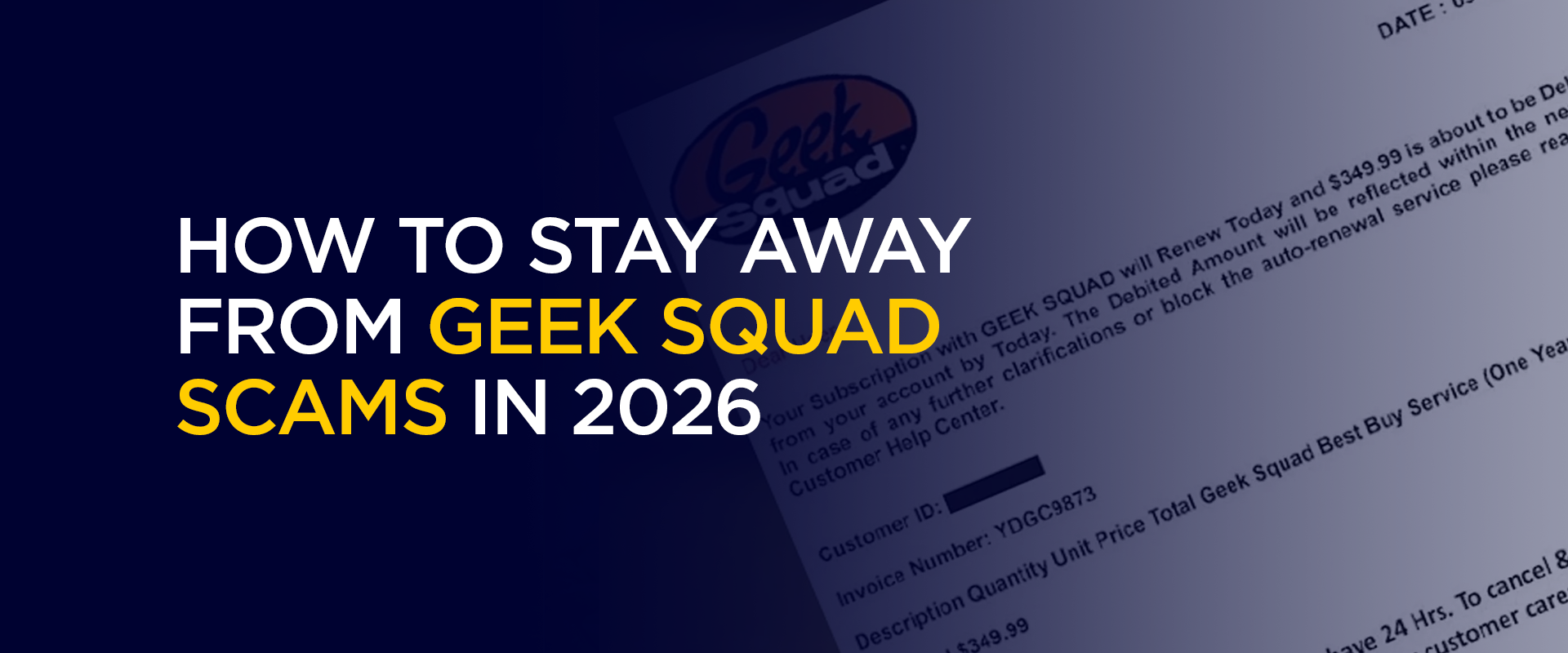
This trick is still super common online, and it catches thousands of people off guard every single year, even in 2026. Scams like the Geek Squad email scam show up in inboxes all the time. People lose a lot of money to them, and it hits folks who are not tech experts the hardest. But honestly, anyone can get fooled if they do not know the warning signs.
What Is the Geek Squad Scam?
Let us start with the basics, so everything else makes sense. Geek Squad is the actual tech support team at Best Buy stores. They fix laptops, set up devices, and clean out viruses for real customers. In the Geek Squad scam, however, bad actors pretend to be part of that team. They copy the logos, the style, and the wording to make you believe they are legit.
The main goal stays simple. They want your money or access to your computer. A typical Geek Squad scam email arrives looking like a bill or a renewal alert. It might say your plan has just renewed, and you owe hundreds of dollars. Then it gives you a phone number to call and fix the problem. When you dial that number, the person sounds helpful and official. They tell you there is an issue with your account or that your machine has problems. Pretty soon, they ask to connect to your screen so they can take a look. Once they get in, they can steal passwords, bank info, or lock your files until you pay up.
The Geek Squad renewal scam is the version people see most often these days. It uses panic to push you into action fast. You see a big charge listed, and you worry about your bank account. That rush of fear is exactly what the scammers count on. They know most folks will pick up the phone without thinking twice.
Sometimes the Geek Squad fake email comes with a link or an attachment that looks like a receipt. It might even pull in a few real details about you to seem personal. But here is the key point. Real Best Buy never surprises you with random renewal charges in your inbox. They only reach out through your actual account on their official site.
This scam works because the Geek Squad brand feels familiar from all the ads and store visits. People trust that name, and the crooks take full advantage of it. In plain terms, the Geek Squad scam mixes tech fear with identity theft. It steals time, money, and trust all at once.
How Does the Geek Squad Scam Work?
Now, let me walk you through the typical steps so you can see the pattern clearly. It almost always begins with a Geek Squad scam email landing in your inbox. Here is how it usually plays out.
You receive a message with a subject line like Geek Squad Renewal Notice or Your Subscription Has Been Renewed for three hundred forty-nine dollars. The email looks polished with the right logos and even fake order numbers. It claims you signed up for an auto-renewal plan you never actually bought.
It pushes you to act fast. The note says call within the next day or the charge goes through. It lists a toll-free number that seems real but is not connected to Best Buy at all.
If you call the number from the Geek Squad renewal scam, a friendly voice answers, claiming to be Geek Squad support. They sound professional, and they ask for permission to view your screen. You might download a simple tool like TeamViewer. At that moment, they gain full control of your computer.
Once they are in, they start showing you fake error messages or scary virus warnings. They point at the screen and say, ” Look, your files are in danger unless you buy their protection right now. Then they demand payment through gift cards, wire transfers, or credit card details. Sometimes they pretend to refund the fake charge, but they really just steal your info instead.
Other versions of the Geek Squad email scam work a little differently. One type offers free antivirus through a link that actually installs malware. Another claims your computer got hacked, and only their team can fix it. Some even arrive as texts or surprise phone calls saying your protection plan needs immediate renewal.
The scammers use easy tools to make everything look official. They grab old email lists and tweak the sender name so it reads Geek Squad, even though the actual address is something random and fake. The whole process can wrap up in minutes if you follow their instructions.
Signs You Are Looking at a Geek Squad Scam Email
Spotting these tricks gets easier once you know what to look for. Here are the clear red flags that show up in almost every Geek Squad scam email or Geek Squad fake email.
- Check the sender’s address first. Real messages only come from an official Best Buy email that ends in at bestbuy.com. If you hover over the form field and see something else like Geek Squad at some random site, it is fake.
- Watch the greeting too. Legit companies use your actual name. Scam emails often start with ” Dear Customer ” or ” Dear User ” instead.
- Look for spelling mistakes or awkward wording. Real Geek Squad emails read smoothly. Fakes usually have errors like your account has been renewed or similar slip-ups.
- Pay attention to urgency. They always say call now or lose money. Honest businesses give you plenty of time and clear steps.
- Never trust strange links or phone numbers in the message. The real Geek Squad support line is one eight hundred four three three five seven seven eight. Anything else is suspicious.
- Skip any attachments you did not expect. Do not open random PDFs or files from unknown senders.
- Finally, if you never bought a Geek Squad plan, why would they suddenly bill you? That alone is a huge clue.
If you notice any of these signs in a Geek Squad renewal scam, just delete the email. Do not reply and do not call the number. Instead, open a new browser tab, type in bestbuy.com yourself, and check your real account for any actual charges.
Top 10 Geek Squad Scams to Watch Out For in 2026
Have you seen a message pop up claiming to be from Geek Squad? In 2026, the Geek Squad scam is still one of the biggest online traps. Scammers keep inventing new ways to use the trusted Geek Squad name to steal your money or mess with your computer. This
Here are the 10 Geek Squad scams you need to watch for right now:
- Geek Squad renewal scam
An email says your plan has been renewed, and you owe hundreds. It lists a fake number to call and cancel.
- Geek Squad scam email with a fake invoice
Looks like a real bill from Best Buy, but the sender’s address is wrong.
- Geek Squad fake email offering free virus fix
It claims your computer is infected and gives a link to download fake software.
- Pop-up alert scam
A sudden window on your screen says Geek Squad detected a problem, and you must call now.
- Phone call impersonation
Someone rings claiming to be Geek Squad support and asks for remote access to your PC.
- Text message renewal trick
A text arrives with a Geek Squad scam email-style warning about an expiring plan.
- Fake Geek Squad website support
You land on a lookalike site that asks for login details or payment.
- Social media ad scam
An ad on Facebook or Instagram promises cheap Geek Squad help but leads to fraud.
- Chat window demand
While browsing, a sudden chat box pops up saying Geek Squad needs to fix your device.
- Gift card payment pressure
After remote access, the scammer says to pay with gift cards to unlock your files.
Each version of the Geek Squad email scam plays on fear. They copy logos and use urgent words to make you panic and act fast. Real Geek Squad never surprises you with bills or demands for remote access out of the blue.
To protect yourself, never click links or call numbers from these messages. Go straight to bestbuy.com yourself. Use strong passwords and keep antivirus software updated. One smart extra step for online safety is using a reliable VPN like FastestVPN. It hides your location and scrambles your connection when you check email on public Wi-Fi.
Why Scammers Love the Geek Squad Name
Scammers pick the Geek Squad name on purpose because it feels so familiar. Best Buy advertises it everywhere, so people already trust it. When the message pops up, you do not question it right away. On top of that, tech issues scare most of us. A slow computer or virus warning feels like an emergency, and scammers use that fear in every Geek Squad renewal scam they send.
They also know lots of families have old Best Buy receipts or past protection plans. They dig up tiny details online to make the Geek Squad fake email seem extra real. Because so much tech support happens remotely these days, letting someone connect to your screen feels completely normal.
Running the scam costs them almost nothing. One cheap email list and a fake number can reach thousands of inboxes. Even if only a small percentage of people fall for it, the crooks still make good money. Some groups run entire call centers where workers read from scripts all day long.
Easy Ways to Protect Yourself from the Geek Squad Scam
Staying safe does not take much effort. Follow these tips, and the Geek Squad scam will never get you.
- Never click links or dial numbers from unexpected emails. Open your browser and go straight to the official Best Buy site every time.
- Turn on strong passwords and two-factor authentication for your email and bank accounts. That extra step blocks thieves even if they grab some information.
- Keep real antivirus software updated. Use the one built into your computer or a trusted app you picked yourself. Avoid anything offered through random emails.
- Check your bank statements every week for charges you do not recognize. Spot a weird Geek Squad entry? Call your bank immediately to dispute it.
- Talk openly with your family about these tricks. Show kids and grandparents how to pause and ask before calling any tech support number they see online.
- One smart extra step for online safety is using a reliable VPN like FastestVPN. It hides your location and scrambles your connection, especially when you check email on public Wi Fi.
- Report every suspicious message you receive. Forward it to abuse at bestbuy.com and also submit it to the FTC fraud reporting site. Every report helps shut these operations down.
The biggest rule is simple. Slow down and think before you act. Real Geek Squad only contacts you if you already have an open ticket or active plan. They never hit you with surprise bills out of the blue.
What to Do If You Think You Have Been Scammed
If you have already called the number or given away details in a Geek Squad email scam, do not panic, but move quickly.
Cut the remote connection immediately. Shut down your computer if you have to.
Change every password you use, but do it from a different safe device.
Contact your bank or credit card company right away and report the fraud. They can freeze accounts and often reverse the charges.
Run a full scan with your antivirus program.
File reports with the police, the FTC, and Best Buy so they have all the details on file.
If money has already been left through gift cards or wires, reach out to those companies fast. Sometimes they can still stop the transfer.
Remember, you are not alone, and feeling embarrassed is normal. These scams catch plenty of smart people. The main thing is stopping the damage and getting help as soon as possible.
FAQs
No Geek Squad is a real Best Buy service. The scam only comes from fake people who pretend to work for them. Always go to the official Best Buy website or store for help. Look at the real sender address. It must end in at bestbuy.com. Watch for bad grammar, urgent demands, or wrong phone numbers. If you have never bought a plan, it is almost always a Geek Squad scam email. The person will try to get remote access to your computer. They show fake problems and ask for money or personal details. Hang up right away and do not call back. They cannot just pull money from a real renewal. The email is only there to scare you into calling. But if you hand over card info later, they can steal it. Check statements and dispute anything fake as soon as you see it. Forward it to abuse at bestbuy.com and file a report at the FTC fraud site. You can also mark it as spam in your email provider. Every report helps take these scammers offline. Is Geek Squad a scam?
How can I tell if my Geek Squad email is fake?
What happens if I call the number in a Geek Squad renewal scam?
Can scammers really charge my card without me doing anything?
Where do I report a Geek Squad fake email?
Final Thoughts
The Geek Squad scam feels sneaky, but you do not have to fall for it anymore, especially now in 2026.
Keep in mind that the real Geek Squad never surprises you with big bills or scary calls. They only help through proper official channels.
Take Control of Your Privacy Today! Unblock websites, access streaming platforms, and bypass ISP monitoring.
Get FastestVPN
Subscribe
0 Comments



